
Nike Size Management
Leveraging automation to accurately merchandise products and reduce high risk incidents by 81%
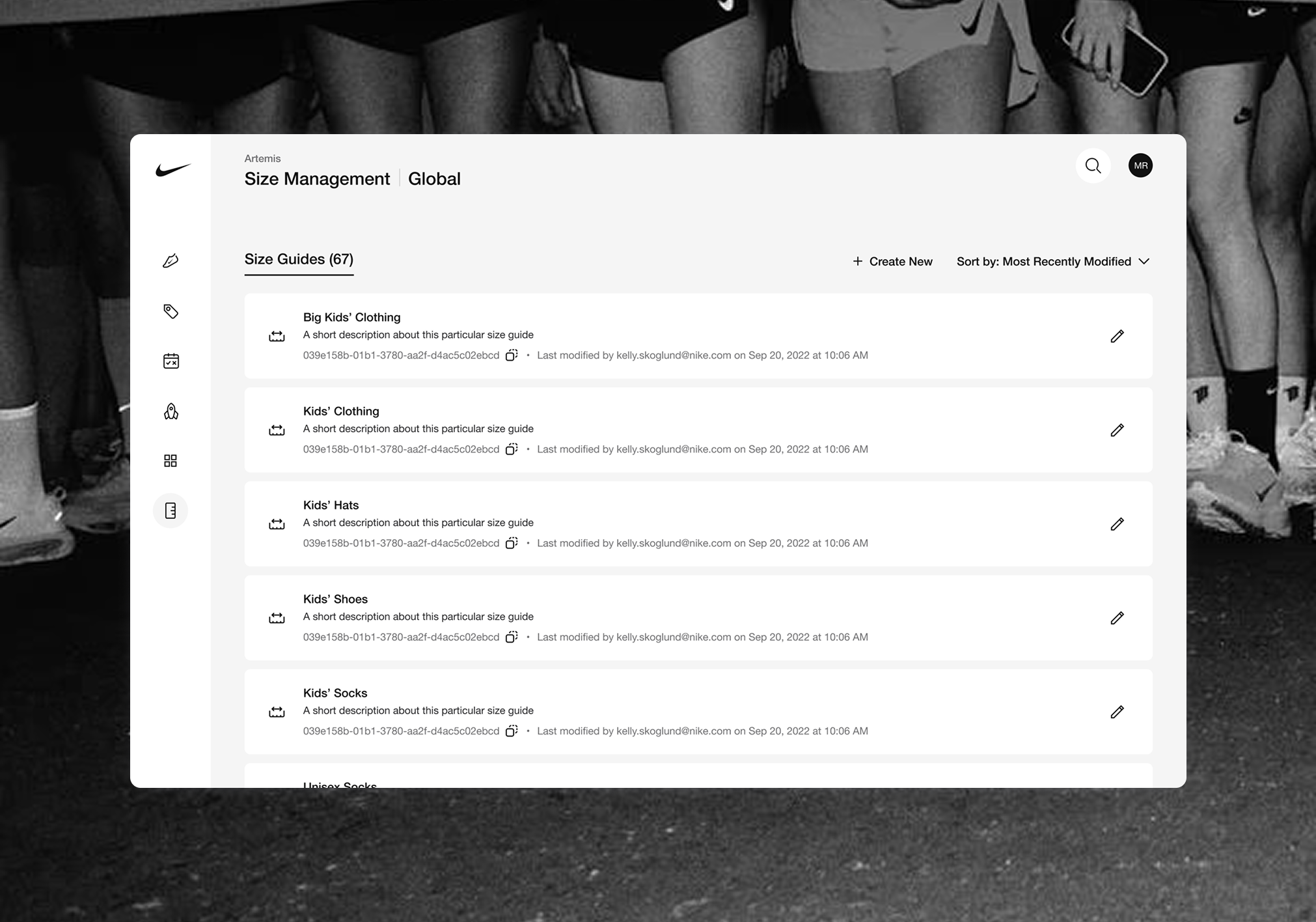
Nike Digital Operations team has a chaotic, risky work flow capable of causing large profit loss.
The Nike Digital Operations team has historically been required to manually maintain thousands of products’ size and fit data in a long series of spreadsheets, working in various tools across many different ecosystems, all of which lack guardrails to prevent human error. The process is time-consuming and high-risk, as a single error could (and has) caused up to an S1 level incident, using critical resources to revert the change and mitigate customer impact.
Initial solution discussion with Operations centered around automating their guide, chart and converter maintenance, and simplifying their search.
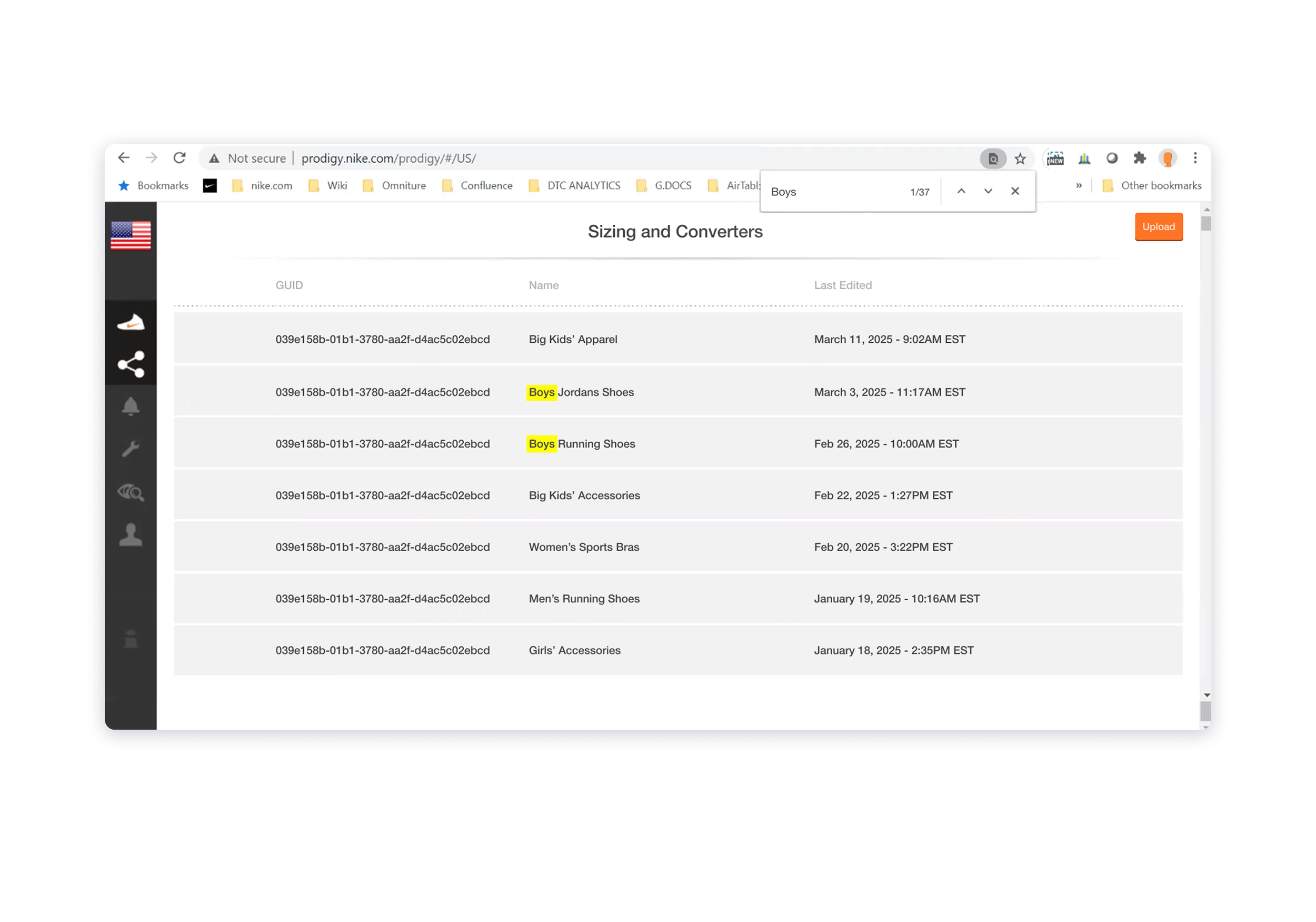
Prodigy’s “search” function within the sizing tool
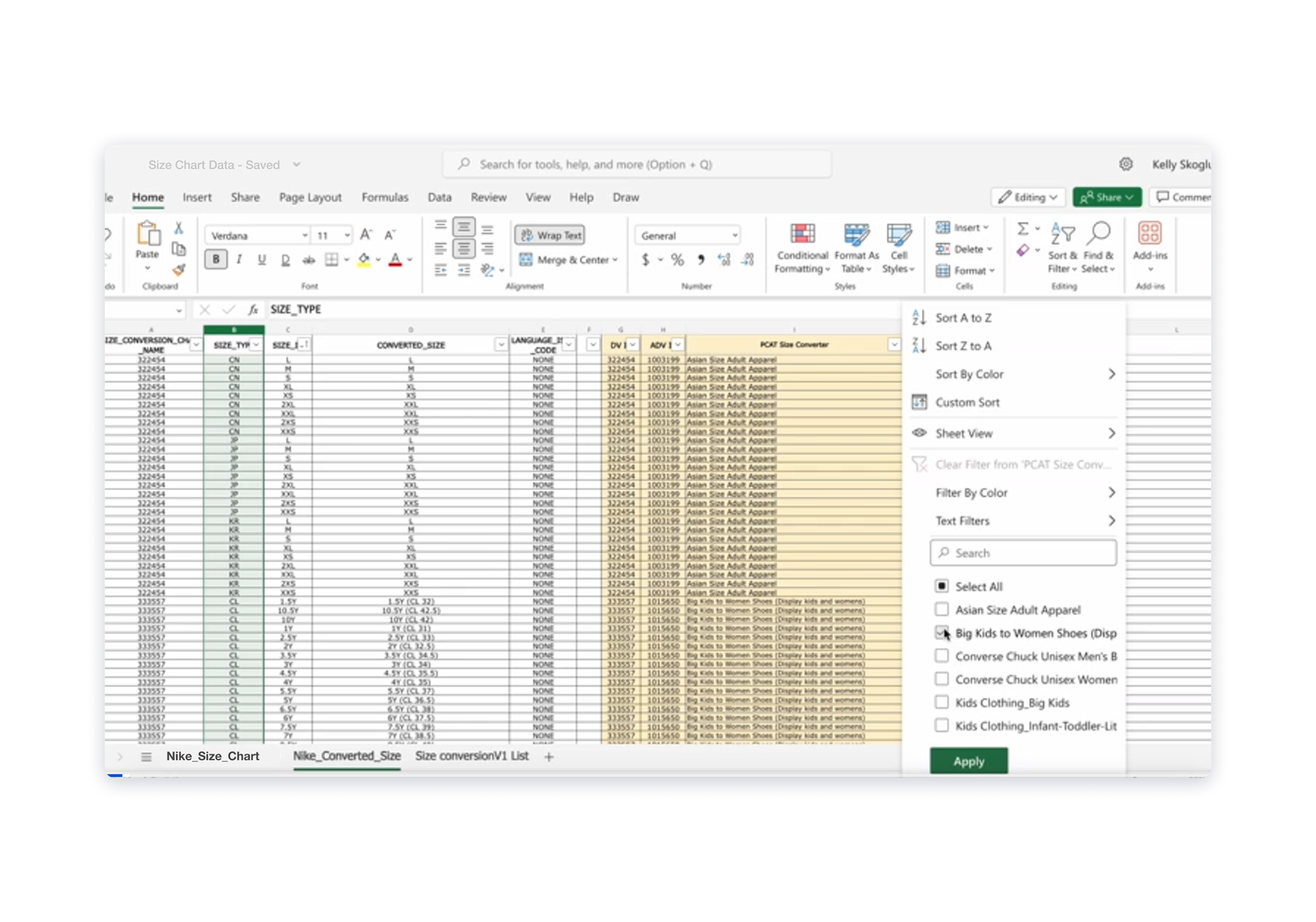
Current state Guide/Chart creation and management: an old excel guide being used as a “template”
My initial concepts centered around creating structure through templates, introducing auto-population, and logic that enables Ops to find the guide or chart they need with ease.
Pre-filled templates would significantly reduce time and effort
Operations currently leverage pre-existing, populated chart or guide excel sheets as a starting point for creating new guides, etc. I planned to create templates, based off of existing data, for the most common use cases to reduce the amount of work Ops had to do to get started, as well as give them the structure needed to accurately and efficiently input new data.
Potential clerical errors could be reduced with auto-population
The speed at which Operations was expected to move while inputting data into the sheets allowed for so much room for error: copy and pasting incorrect information, accidentally cutting off a digit in a sequence of numbers, etc. I planned to introduce auto-population for sequential data in the charts and converters to act as both a clerical guardrail and time-saver.
Built-in search enables users to find exactly what they’re looking for
Prodigy, Nike’s legacy operations tool, relies on the browser finder to locate guides or charts, and while this function suffices for looking up specific guides/charts by unique ID, searching by name can prove to be more tricky. Introducing search functionality would allow for more flexibility, like searching by a key word or series of numbers when a user can’t remember the full title or entire 16-digit sequence, and also be more forgiving with typos.
We discovered a need for increased flexibility in guide creation and more complete error handling.
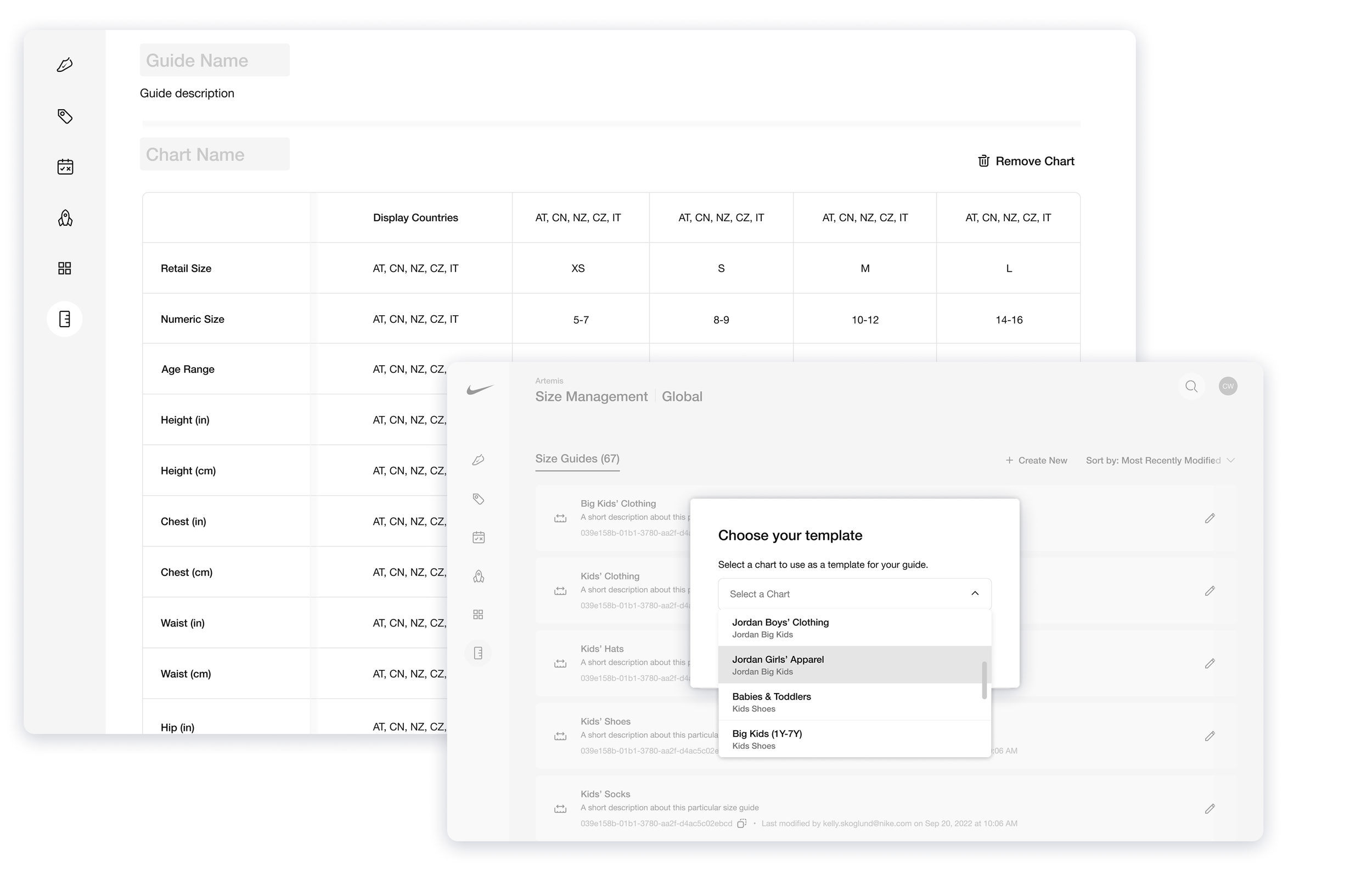
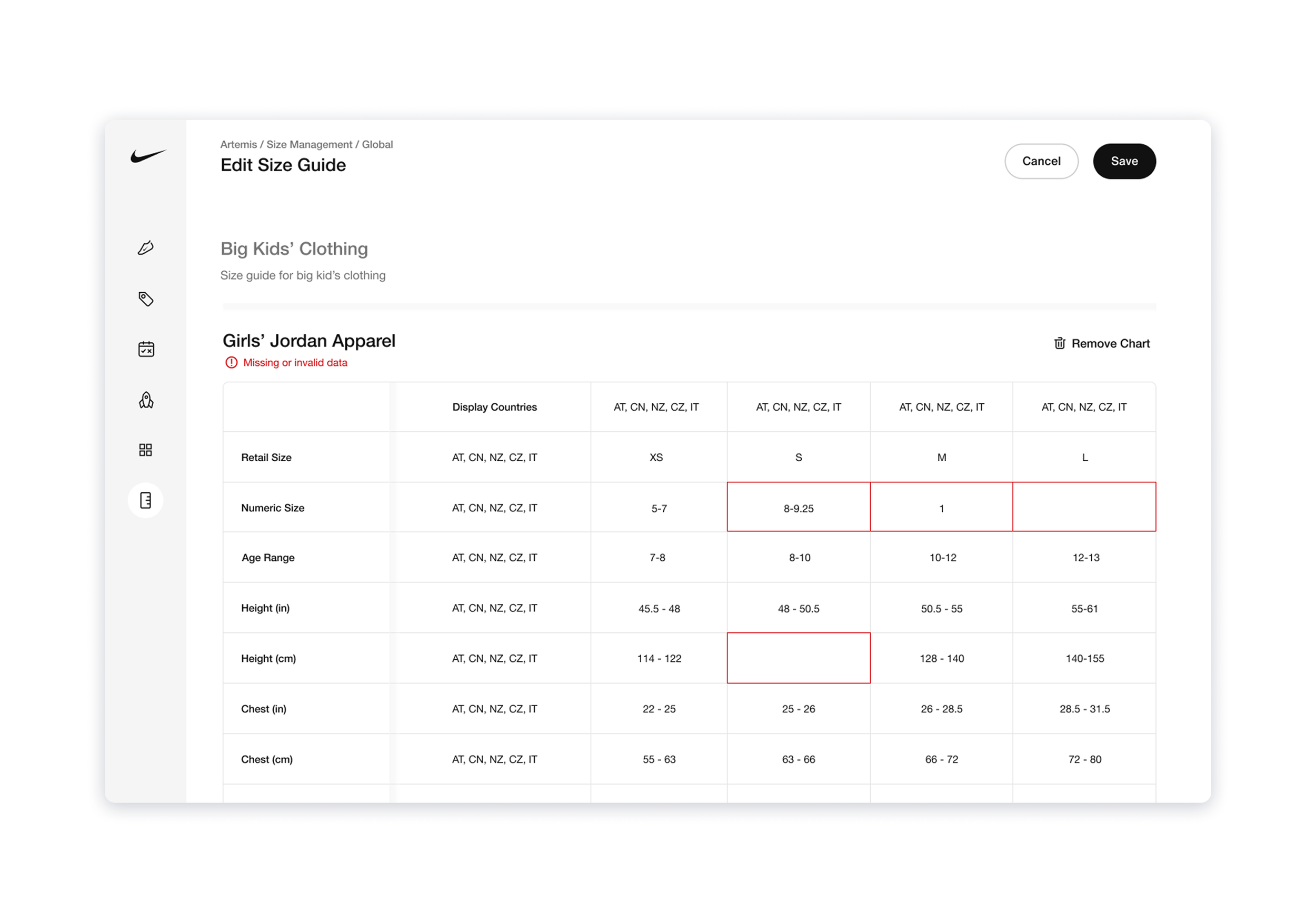
While some features, like search, were relatively straightforward, through testing and iterating we found that the original approach for guide creation was not much more efficient than the current process, and that the error processing we were planning to implement was not offering as much guidance as was needed.
Users were emptying the templates to meet their changing needs
The initial designs I made for guide and chart creation mirrored Ops’ current process: selecting an existing guide to act as a template and populate the new one, a new ID and name would be attributed to the new guides, and then they could manually remove or add whatever info needed. While users previously used the data as a base and manually removed what they didn’t need, they were now clearing all data except for the row and column categories. Because of the auto-populate feature, they no longer needed all of that data to speed up filling their charts; however, they did want the structure of the row and column categories as a jumping off point. With this in mind, I designed a new approach that provided them the structure of a template with the flexibility they needed to customize each chart/guide.
Error handling was still heavily reliant on humans
At first we focused on implementing standard rule-based code scripts to check for errors and raise them to the Ops users; however, this option still heavily relied on human input and wasn’t extensive enough to catch or correct everything in a helpful way. My engineering lead and I decided to introduce back-end agents as complementary partners to the rule-based code scripts: they could handle error correction in a more robust manner, as well as catch more unusual errors or uncommon patterns. Because this work would take additional, unforeseen engineering effort, increase scope and push the timeline, I built a case for use of these agents throughout the platform and effort estimates to successfully convince product leadership of the return on investment.
A straightforward tool with the power of automation to tackle any and all size related operations tasks.
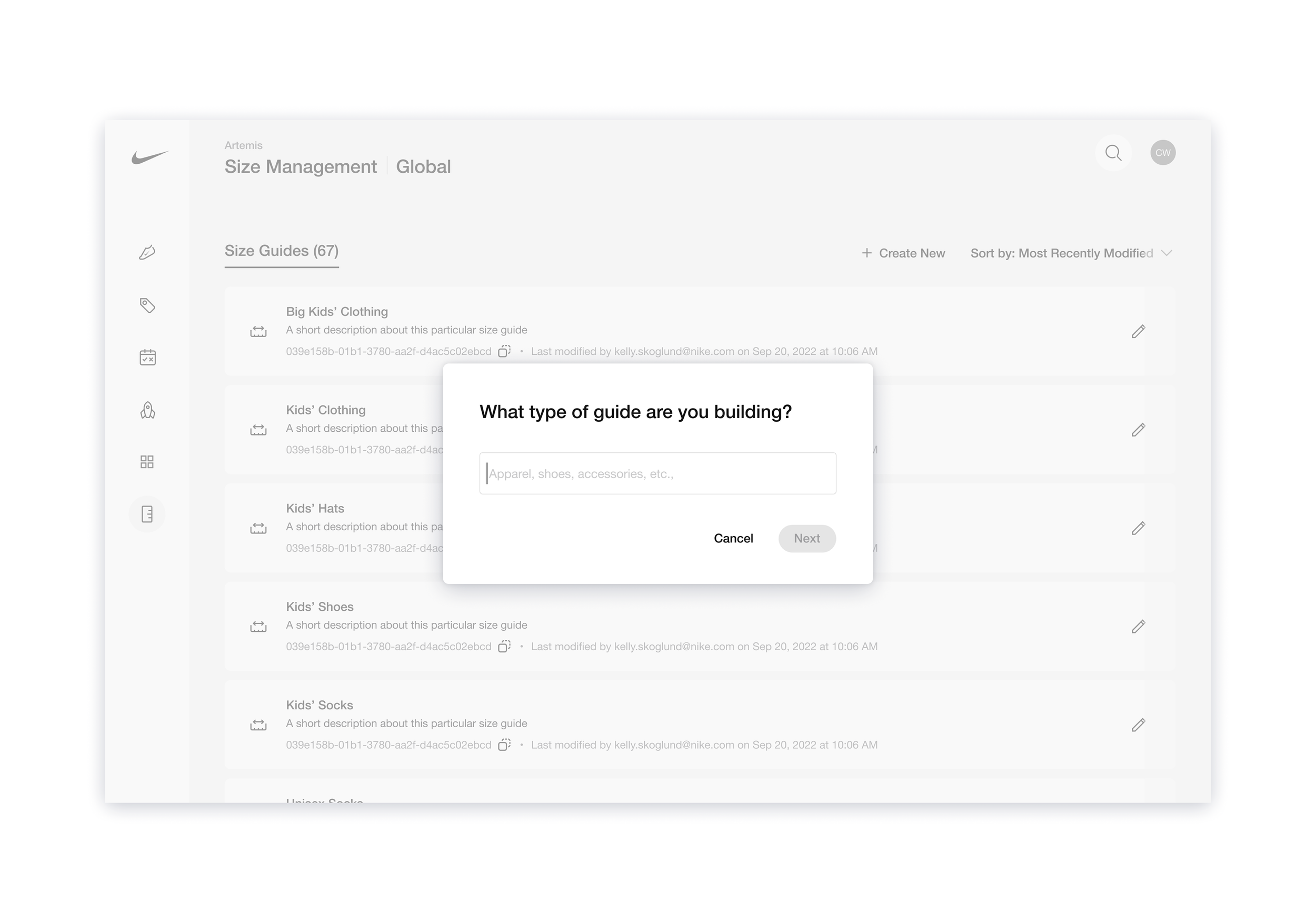
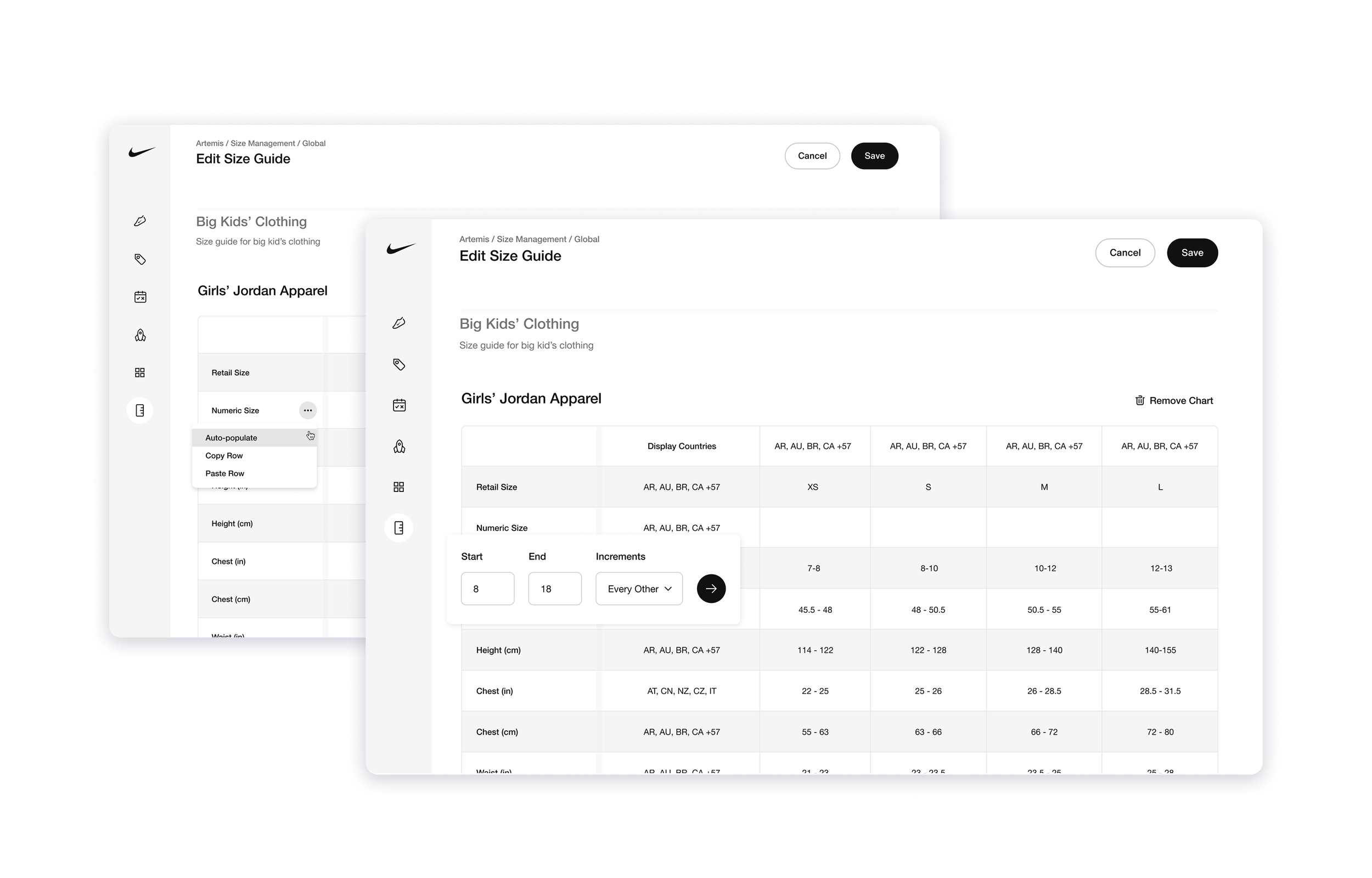
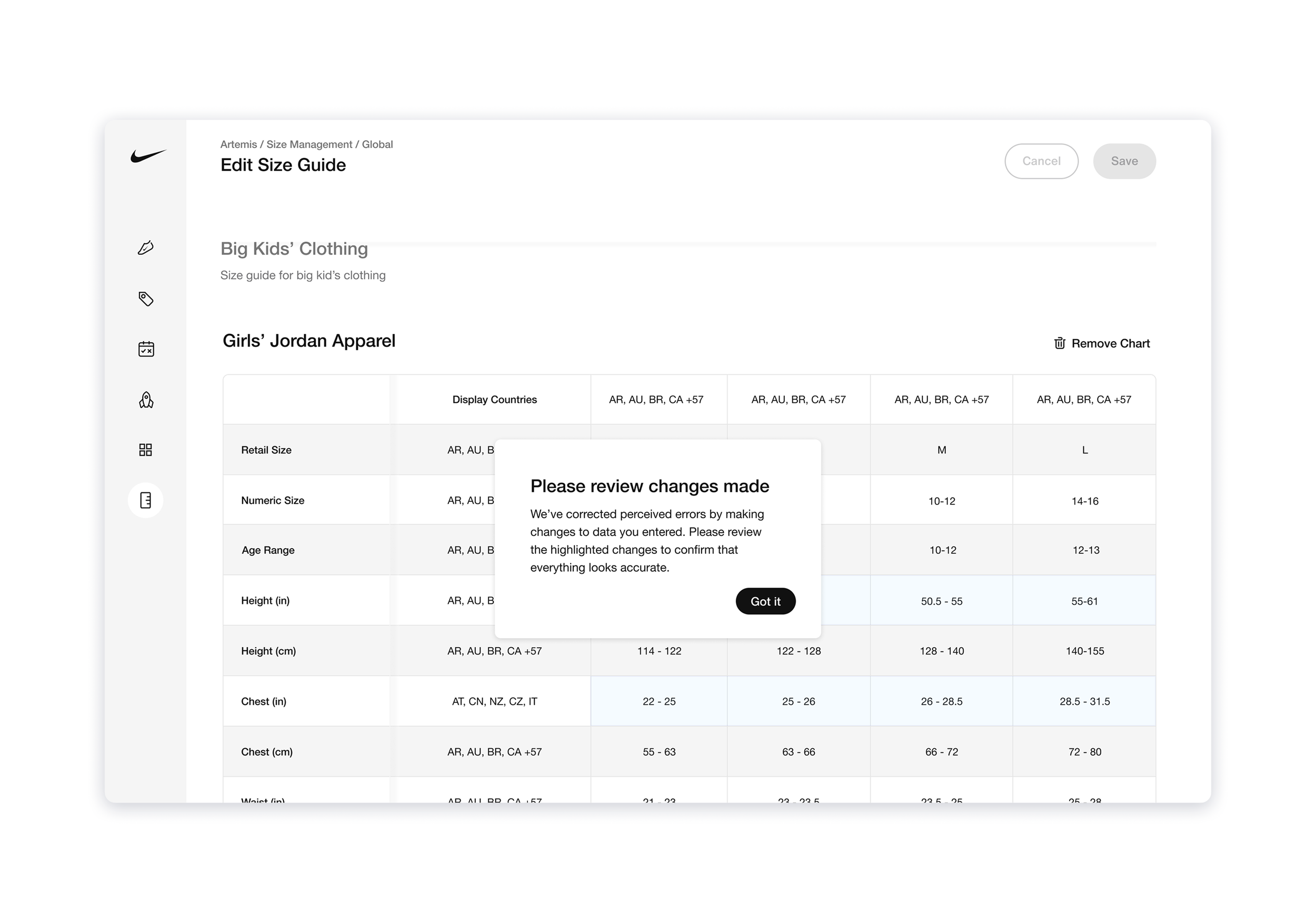
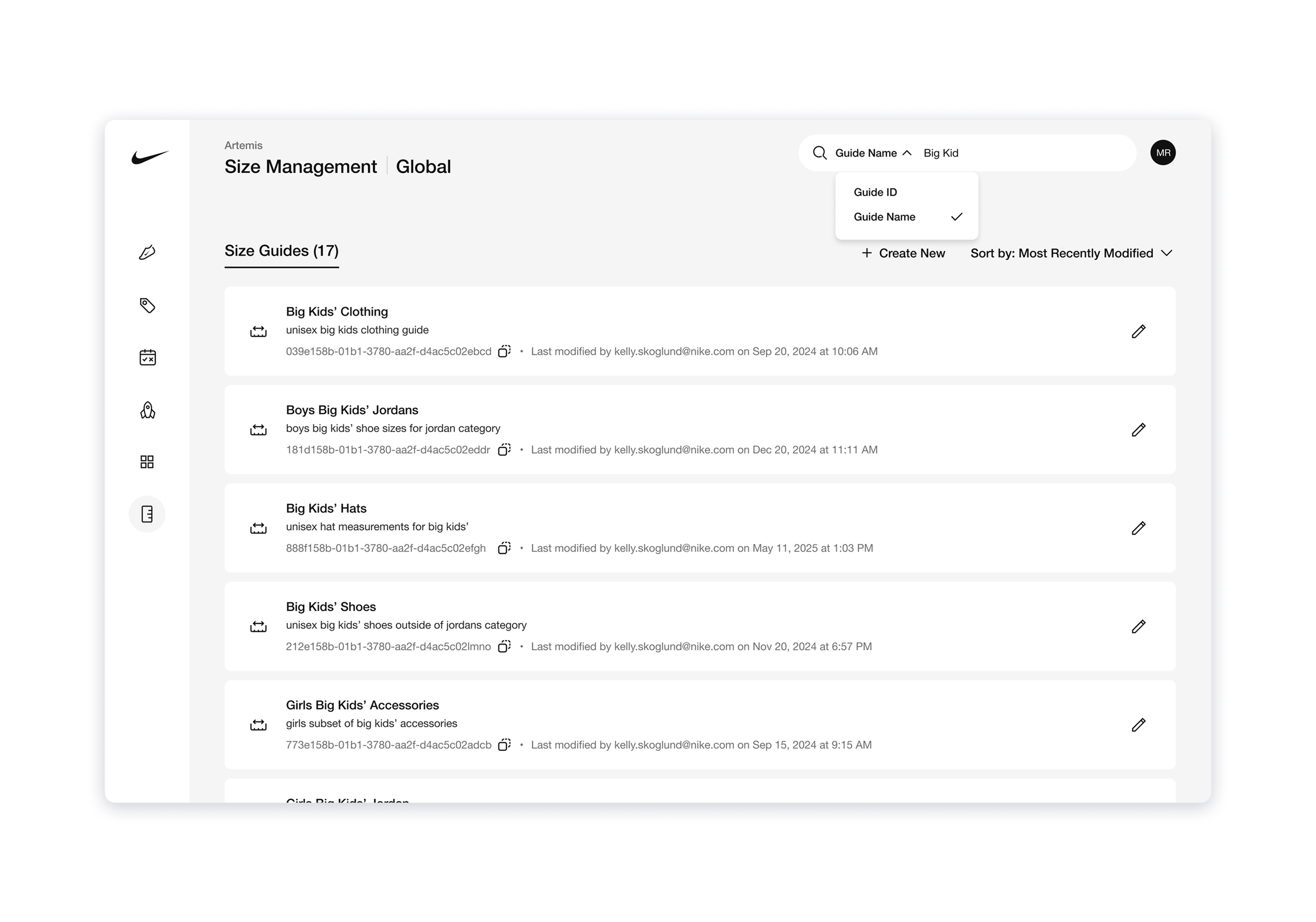
No longer would our Operations team have to jump between 3-4 tools to complete one task from start to finish, instead they could find, manage, edit, preview and publish all in one tool.
Intelligent Guide and Chart Creation
After answering a few prompts, a custom guide and/or chart template will be created for Operations to populate. To offer the most flexibility, users will have access to manual editing, such as adding a row/column, adjusting the categories, etc., this way the template can be adapted to any changing needs.
Auto-populate Tables
For any sequential data, like clothing size and measurements, Ops can utilize the auto-populate feature by setting a starting point, ending point, and optional increments, saving time and ensuring no typing errors are made.
Real Time Error Correction
Utilizing back-end agents, inputs in Size Management are reviewed for errors and corrected in real time. Upon saving the guide or chart, users will be prompted to review the agent’s changes for accuracy and confirm all looks good before publishing.
Built-In Search
Operations can now search by either name or unique ID and have the correct guide(s) or chart(s) return as a result. As a safeguard, I included the unique IDs in the cards on the landing page, so that even if our search goes down, users are able to use the browser’s find shortcut to locate the correct items. For ease and speed, users can click on the ID and it will automatically be copied when they need to pull it for a reference or to send to someone.
Size Management reduced S1-S2 level size-related incidents by 81%, and S3-S4 incidents by 73%.
We tracked and analyzed the incident data over the course of six months, and found that the implementation of intelligent automation as a safeguard against clerical errors had significantly reduced the human-errors occurring on our team.
Task management time was reduced to an average of 12 minutes
A process that previously took Operations an average of 3.2 days to complete could now be done in 12 minutes on average, freeing up the team’s time to tackle other high priority initiatives.
Case loads were significantly reduced
The significant reduction in low level incidents meant a ticket reduction for our customer support team and less time spent in the queue, which in turn created less opportunities for escalation and a lower overall case load for our Incident Management Team.