
Nike Activation Management
Unlocking bulk management of Nike product activations and increasing operations efficiencies by 7x
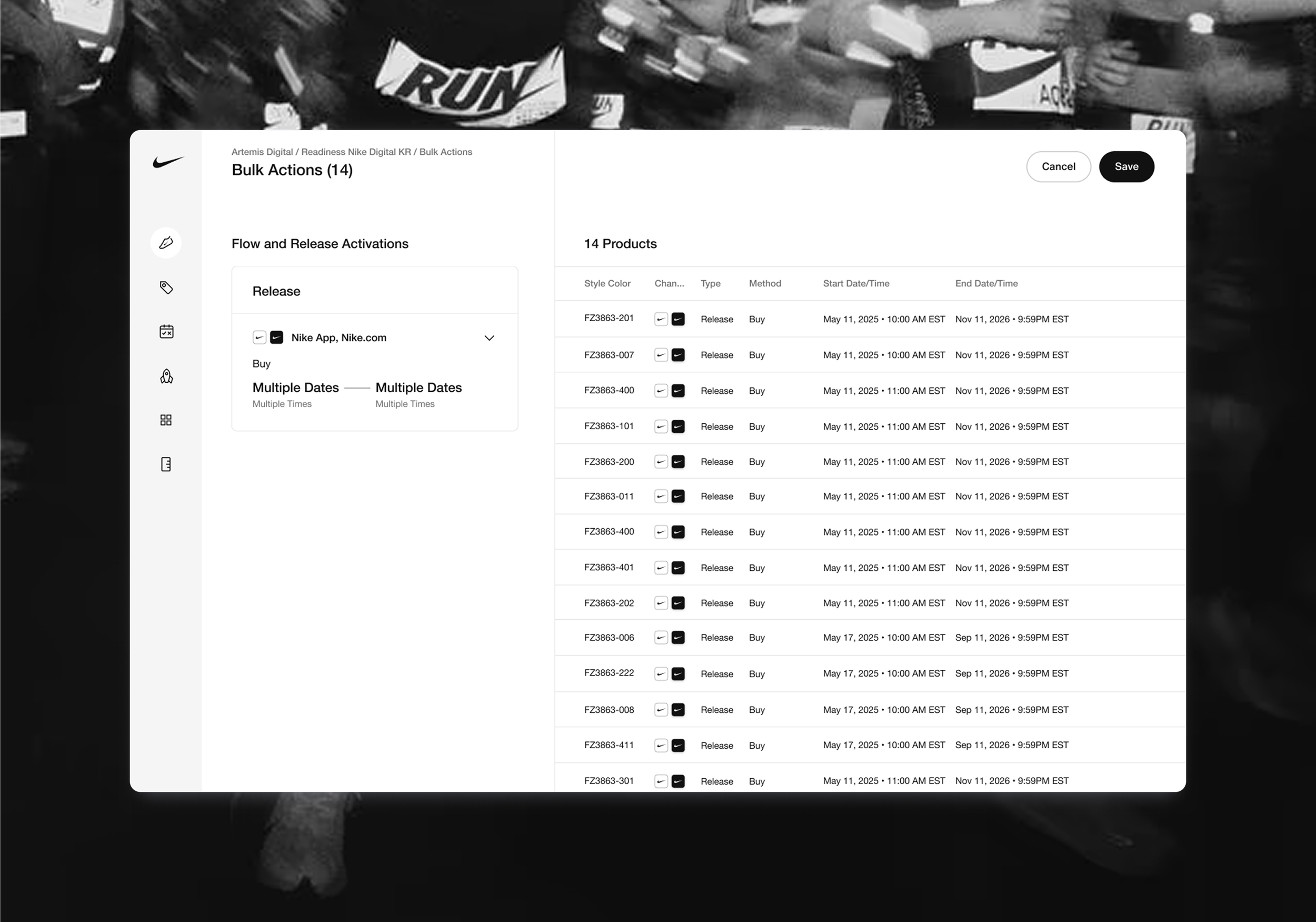
Nike’s bulk editing experience for its operations tool platform, Artemis, was inefficient, imprecise and time consuming. I eliminated technical in a nearly 7x increase in efficiency by reducing average processing time from 11 minutes to under 90 seconds.
Nike’s Digital Operations team is unable to accurately and efficiently manage product activation data.
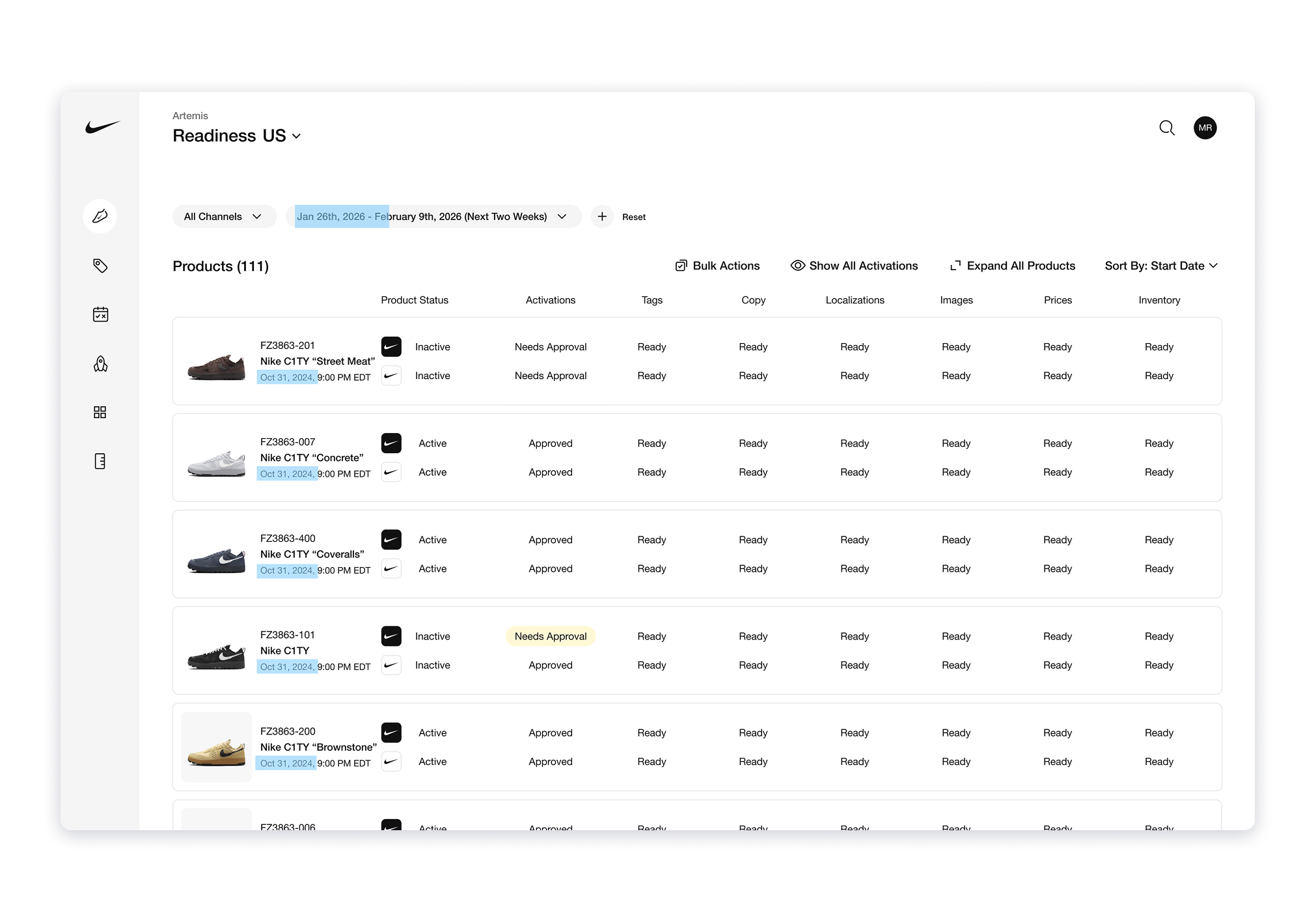
Highlighted areas show dates outside of defined range
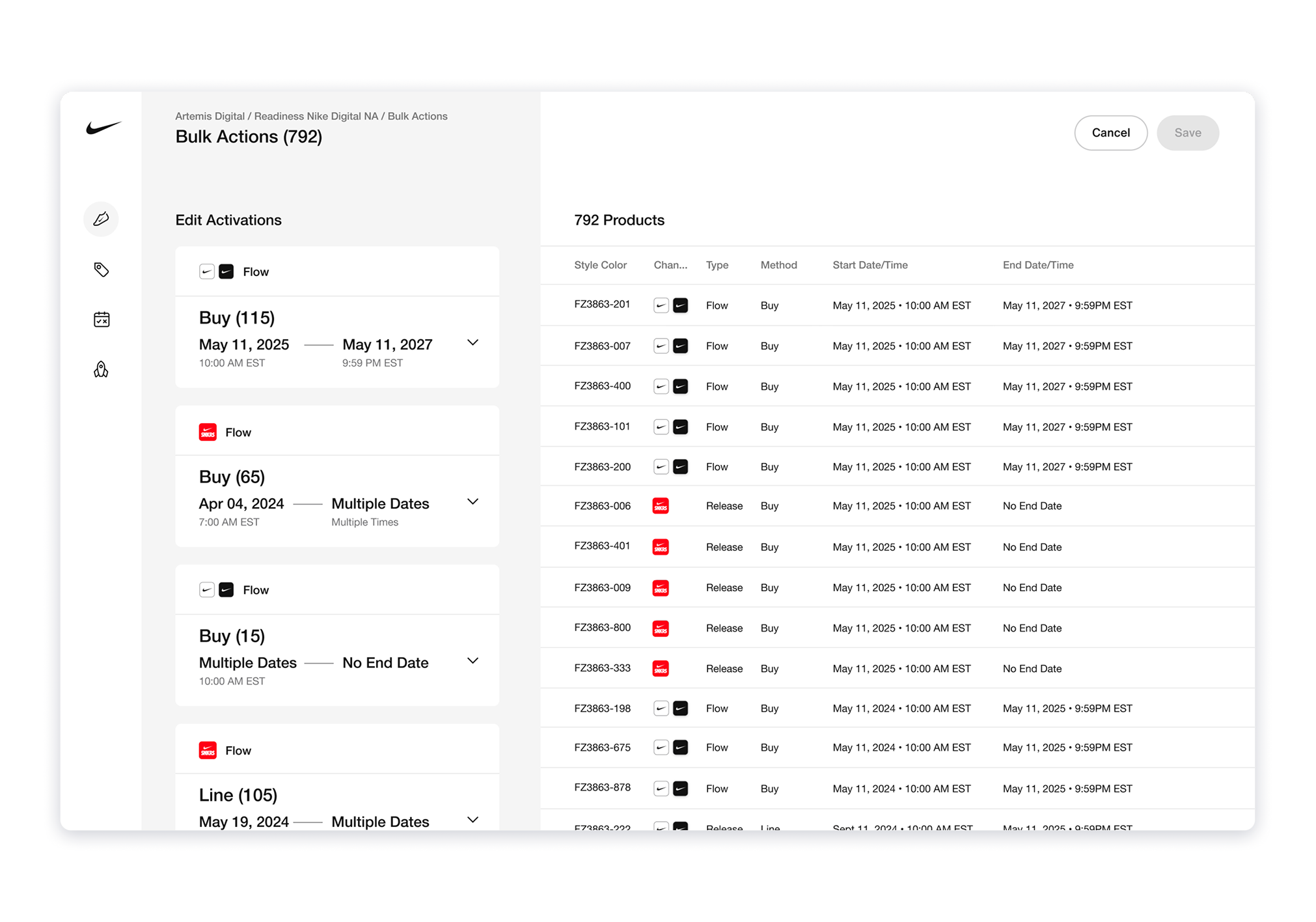
cards on left each expand to reveal editing form, each card represents a subgroup of selected products
Artemis’ ”bulk editing/managing” experience is ineffectual: it lacks the flexibility, precision and accuracy needed by our operations team to make en masse changes to product activations (launches). For our operations team this results in long editing times, unnecessarily repetitive tasks, what-should-be avoidable mistakes, and endless amounts of frustration.
Faulty Filtering Functionality
All product activations have a start and end dates associated with them, and Operations will often filter down activations by a start date or end date in their first step of the bulk editing process. We uncovered that at the core of the experience sat a fragmented legacy logic that doesn’t understand dates all that well. When selecting a date range for the start date filter, instead of using the parameters given to it, Artemis would return all activations that started before the second date in the range. In a system where there are products that have been live since the late 90s, you can imagine how many results Ops members would have to sit through and manually remove before narrowing down the exact products they needed to make changes to.
Restrictive Grouping
After selecting activations from the landing page of a given tool, Ops users are brought into the editing flow to make any changes necessary: moving the start date up, changing the launch time, switching to a different distribution channel, etc. As a result of the backwards filtering logic, a grouping logic was created for the editing flow as a workaround to ensure that Ops could edit the intended products. This resulted in the creation of subgroups of activations determined by the type of activation and the method for launch, ultimately creating an average of 10+ subgroups to edit. Instead of being able to make one set of changes and apply en masse, Ops would have to repeat changes for every subgroup to achieve the desired results.
My engineering lead and I saw an opportunity to correct this recurring problem once and for all: fix the filters
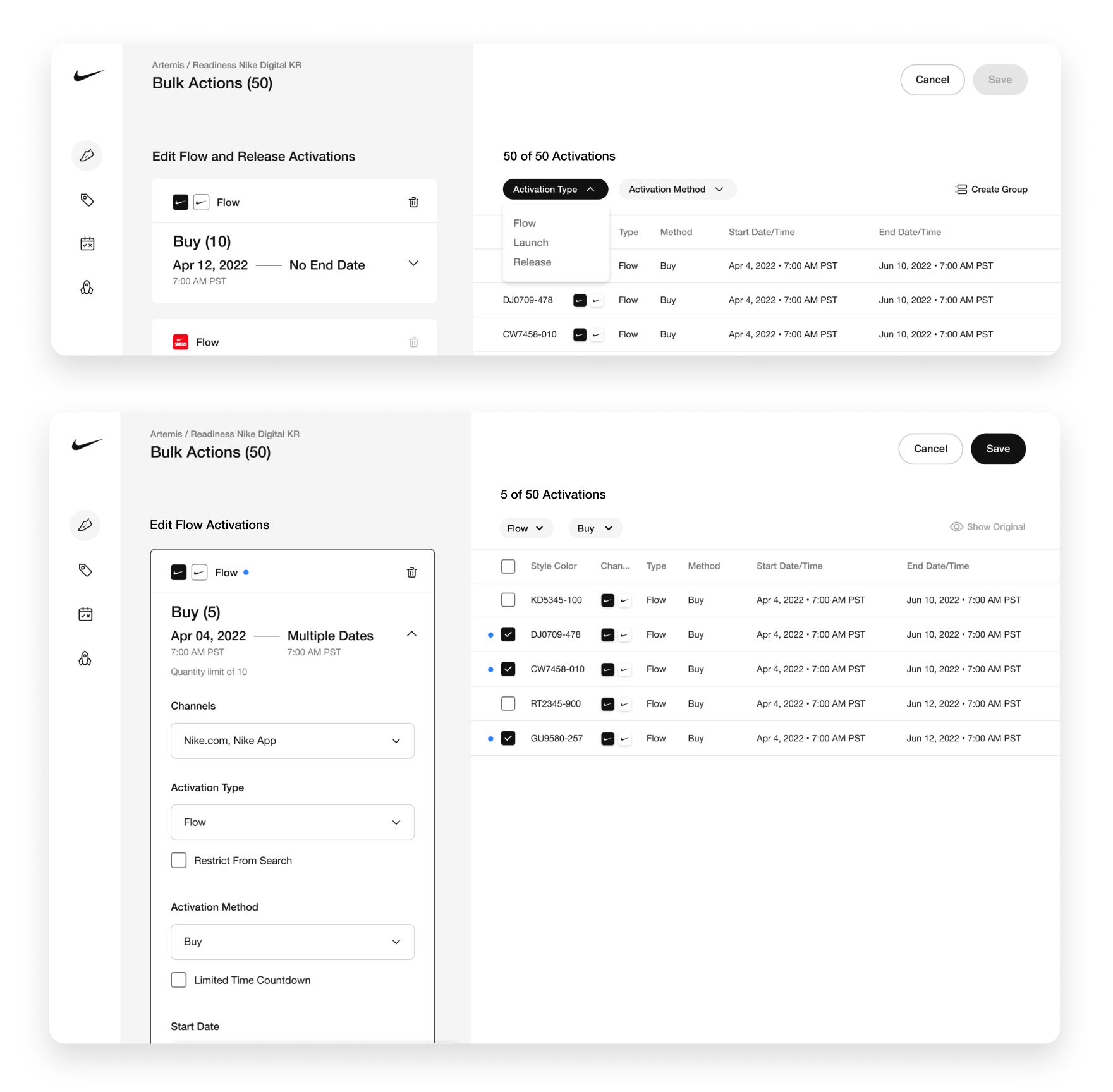
Selective editing explorations
Unfortunately, the broken filtering issue wasn’t news to our design + engineering team, in fact this problem had been broached with every new product lead before, and resurrected again with the entrance of our new product owner. Time and time again the proverbial can was kicked down the road, and though the problem had been unsuccessfully eradicated before, we knew this time could be different.
Nip the Filters in the Bud
Together, my engineering lead and I aligned on a plan to tackle the problem head on and fix the filtering once and for all. I prepared comps for updating grouping designs, a timeline, and accurate-as-can-be effort estimates for my lead and I to get this done.
A Plan B: Selective Editing
While the goal was to avoid unnecessary throwaway work, I drafted a backup solution that would address as much of the issue as possible without altering the logic or creating too many new and non-reusable patterns or components. Selective editing would allow Ops to drill down into any subset of activations and select the exact ones they wanted to edit, essentially a secondary filter to make up for the dysfunctional primary filter. While we couldn’t achieve max efficiency without addressing the filter function, we could still improve the accuracy and make up for some lost time.
Do It Nice, Not Twice
At the end of the day, the effort required to build both options were roughly the same, but luckily our amazing product owner wanted to do things the right way now, rather than face this again down the road. With her expert prioritization skills, we were able to maneuver some competing high priority projects to make time for the slightly larger than anticipated engineering effort this would take.
Functional date filters and streamlined editing saves the day, time and Operations’sanity.
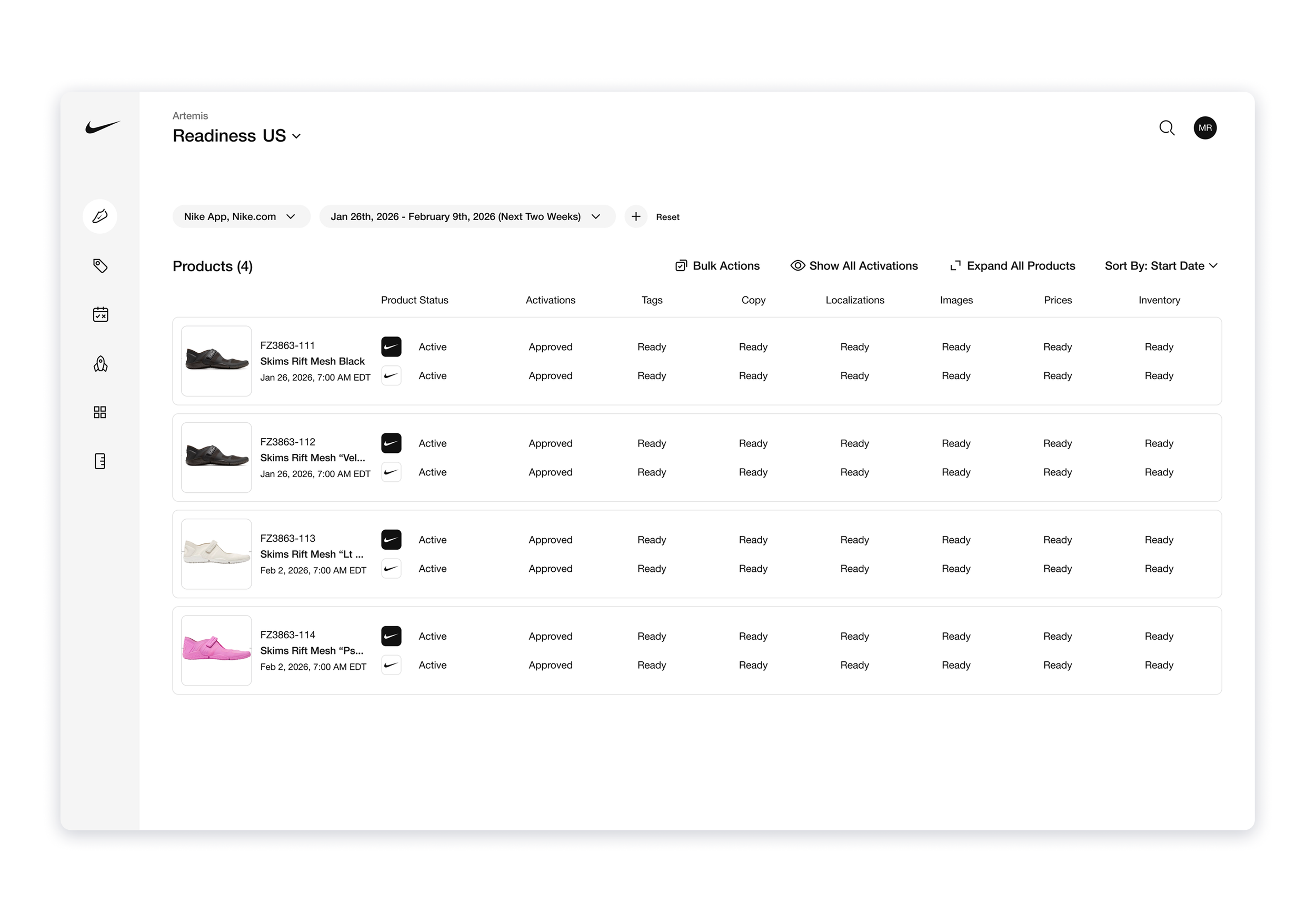
Thanks to our PO’s expert prioritization skills, we were able to maneuver some competing high priority projects to squeeze in this slightly larger and unanticipated effort. Together we were able to make a once far-off dream a reality.
Functional and Accurate Filters
Removed outdated, backwards logic to improve the accuracy of our start date filters: now when a range is selected, the filtered list reflects only dates within the specified range, no exceptions. In addition to improving the functionality, I updated the language used in the filter to offer more clarity. Thanks to these updates, Ops can now refine their selections with the exact precision and specificity needed to make accurate updates to activations.
Updated Grouping Method
Instead of 10+ sets of subgroups requiring Ops to click in and out of editing forms to repeat the same edits over and over, there is now only one, simple form to edit activations. Ops can edit en masse, apply the changes in one go, and be done with their tasks faster than ever before.
The Operations team saw a 7X increase in efficiency.
During the first month of release, we measured the average editing time across all Ops users and compared it to our pre-release data.
Operations got some time back
By rejecting superficial fixes in favor of a universal filtering solution, we empowered Operations to manage data with unprecedented precision and speed: a process that once took 11 minutes on average can now be done in 90 seconds or less.
We Won as a Team
Beyond the impressive seven-fold increase in efficiency, this effort served a deeper cultural purpose by establishing design as a pivotal strategic partner within the organization. This initiative was a case study in how solving engineering frustration can cultivate cross-functional trust and long-term operational success.